

This post contains affiliate links.
ChatGPT Prompts for Image Generation: How to Create Stunning Pictures With AI
Want eye-catching, jaw-dropping, scroll-stopping visuals without selling your soul to stock photo sites? ChatGPT prompts for image generation let you turn a few clever words into high-impact, eye-catching visuals for your brand, blog, or Instagram grid.
This guide shows you exactly how to write prompts that make AI behave (most of the time) and deliver pictures that pop.
Key Takeaways
- ChatGPT can generate image prompts that produce unique visuals for branding, marketing, and fun (think everything from anime style to fantasy to creative.
- Specific, detailed prompts get better results than vague ones.
- You can set style, mood, and even camera angles in your prompts.
- Avoid generic requests like “make it pretty” — AI needs direction and context.
- These prompts can save solopreneurs hours of design work.

Introduction
Let’s be real — as a solopreneur or content creator, you already juggle 53 hats. You’re the CEO, the marketing team, the content department, and sometimes even the office barista (coffee is fuel, not a luxury).
Now, imagine if you could add “visual designer” to that list without spending years learning Photoshop (ughhhh, it’s not beginner-friendly) or losing hours to Canva rabbit holes.
That’s where prompts tailored to create images come into play — they’re your secret weapon for turning words into visual magic, making stunning visuals easier than ever to create. Everyday users can create incredible images and visuals that make your content stand out.
Note: Don’t get me wrong. I think everyone needs to be a member of one stock photo membership with photos that meet their brand aesthetics, but being able to create custom images is a skill every online business owner should learn.

What is Image Generation with ChatGPT?
Image generation is the art (and slight witchcraft) of crafting textual prompts that describe what you want to see so precisely that artificial intelligence can paint it for you – right down to the virtual brush strokes and lighting details.
I’ll admit that previously creating images with ChatGPT did not provide the best results.
But now the powerful ChatGPT — powered by GPT-4 and the newer GPT-5 models — can transform your photos and designs, especially when integrated through the OpenAI API with tools like DALL-E (the tech behind ChatGPT’s image generator).
It can take your prompt and easily generate high-quality images that fit your vision, showcase your unique brand style, or creative flair.
From AI art to AI clones to realistic scenery, the sky is the limit for the types of pictures and graphics you can create. The right prompt will return images in your tool of choice that make the visual representation you were looking for.
You can also use ChatGPT and other language models as a prompt generator to create images in other tools, such as Magai, Midjourney, and Flux.
In other words, you tell it, and it draws it. No messy paintbrushes, no awkward clipart, no wondering if your budget covers stock photos – just beautiful images made with the help of creative prompts for AI.
Why Solopreneurs and Content Creators Should Learn How to Create Stunning Images With AI
Because time is money — and so are visuals. Great content needs amazing images, and artificial intelligence can help you streamline, saving time while creating high-quality visuals like:
- Pictures
- Cartoon-style characters
- Nature scenes with woods, wildflowers, animals, and more
- Creative art in vibrant colors
- Ghibli-style illustrations (artwork that mimics Studio Ghibli)
- Lifelike images (even clones of you)
- Steampunk
- Stop-motion animation
- Cyberpunk
- Cityscape
- Claymation
- Japanese anime-style images
- A specific art style
- Golden hour photos, like just before sunset or after sunrise
- And so much more.
Here are some benefits of using visuals in your content.
- Social Media Engagement: Posts with images get up to 650% more engagement than text-only posts.
- Brand Consistency: You can make images that match your brand colors, tone, and vibe.
- Cost Savings: No need to hire a designer for every project. It can even help cut down on brand photography (though doing that in real life is still important).
- Creative Freedom: Want a llama wearing a pink tutu, sipping matcha in Paris? You can have it in minutes. This is a game-changer for your unique projects and offers.
How ChatGPT Image Generation Works
When you give ChatGPT a prompt like: “A flat lay of a cozy desk setup with a pink laptop, coffee mug, and notebook, in an office with natural lighting.”
…it sends that description to an image generator (such as DALL-E), which then produces visuals that match your words as closely as possible, generating the entire image, pixel by pixel, based on every detail you include in your prompt.
The better you describe it, the closer the image will be to what you want — so focus on how you create detailed prompts that capture subtle effects like depth of field, texture, and lighting that make your main subject stand out and your visuals look professional.
Consider uploading a detailed image example to transform your images into the perfect graphics for your projects.
You can also use the provided image, you used as an example in the tool you’re using to generate the picture or graphic. Just make sure to specify that you will only use any uploaded images as examples and not to copy them, as you could unknowingly violate someone’s copyright.

Best Practices for Writing Prompts
Be Specific With Your Prompts to Generate Visuals
Instead of “a pretty landscape,” try “a serene mountain lake at sunrise with mist over the water, pine trees on both sides, and a small wooden boat dock.”
Use Descriptive Language
Adjectives are your friend: cozy, sunny, vibrant, moody, whimsical — just avoid making it sound like a bad perfume commercial. You can even dictate texture in images.
Set the Mood and Style
Tell the AI tools you use if you want it to look like a watercolor painting, a storybook-style illustration, a stop motion scene, folded paper art, a high-resolution photograph, or a retro 90s poster with clean lines.
Define Technical Details
You can include:
- Camera angle (bird’s-eye view, close-up)
- Lighting conditions (soft morning light, golden light at sunset, dramatic shadows, gentle glare on reflective surfaces, or a bokeh background for depth).
- Color palette (pastels, monochrome, neon)
Pro Tip: If you want to take graphic and picture generation to the next level and integrate it into your workflow, consider building a custom GPT that generates prompts for you. Using a tool specifically designed for that task will get you better results.
50+ ChatGPT Image Prompts for Generating Pictures and Graphics
Here’s your customizable visual inspiration buffet — a mix of creative use cases and prompt ideas you can customize. Take what you like, remix it, and watch the image magic happen.
Branding and Social Media
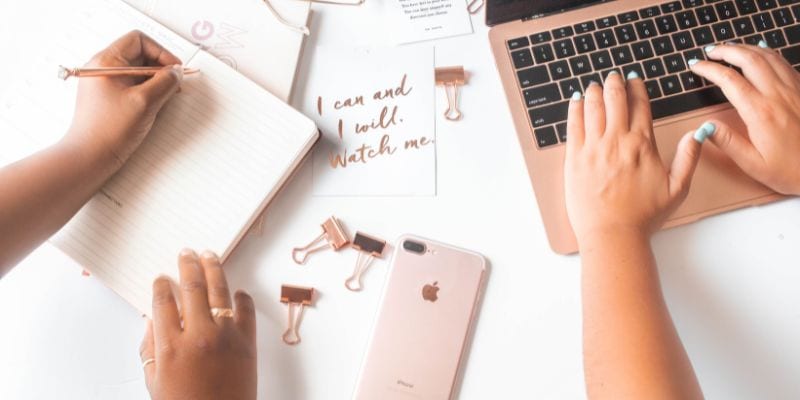
1. “A flat lay featuring items that represent [your brand or niche], styled with [your brand colors] and [describe vibe: sophisticated, cozy, bold, etc.].”
2. “An Instagram carousel cover image with [your topic or keyword] written in modern typography over [color palette or texture].”
3. “A person representing [your target audience] confidently working on [their main task or goal] in a [describe style: modern, vintage, playful] setting.”
4. “A lifestyle photo showing tools or symbols related to [your business type or expertise] with lighting that feels [energetic / calm / warm / bright].”
5. “A clean flat lay of branded stationery and tech tools in [color palette] for a [industry or content theme] social post.”
6. “A conceptual image symbolizing [core brand value or transformation, e.g., growth, freedom, creativity].”
Blog and Article Images
7. “A header image representing [topic of your blog post] with a visual style that matches [tone: educational, cozy, bold, etc.].”
8. “An overhead shot of objects or scenery that illustrates [your article’s main theme].”
9. “A creative illustration capturing the concept of [blog topic or problem being solved].”
10. “A symbolic representation of [key takeaway or idea from your article], in [photo / illustration / watercolor / 3D] style.”
11. “A visual metaphor for [emotion or challenge your reader faces], styled to fit [your brand personality].”
12. “A minimalist graphic background that subtly references [your niche] without literal imagery.”
Product and Service Promotions
13. “A mockup of a digital or physical product related to [your offer name] displayed on [device or background type].”
14. “A lifestyle photo showing someone using [type of product or service] and experiencing [desired transformation].”
15. “A creative composition that visually conveys [benefit of your product], using props or symbols from [your niche].”
16. “An image showing a ‘before and after’ transformation for someone using [your offer or system].”
17. “A flat lay of tools, downloads, or elements representing [your product or course].”
18. “A promotional banner concept for [offer name or type] with bold text overlay and [brand color scheme].”

Email Marketing + Newsletters
19. “An inviting workspace scene that represents writing or reading about [your email’s theme or niche].”
20. “A fun visual metaphor showing [desired outcome of your email content] arriving through digital mail.”
21. “A creative envelope design or digital letter featuring icons related to [your niche or product type].”
22. “An artistic depiction of a person feeling [emotion: inspired, excited, productive] after reading an email about [topic].”
23. “An abstract concept showing communication, connection, or community through visual storytelling.”
Website + Sales Page Visuals
24. “A clean hero image representing [your core offer or brand promise] with space for text overlay.”
25. “A modern digital mockup of your homepage, showing [key message or product].”
26. “A conceptual photo that visually conveys [your transformation or tagline idea].”
27. “An image symbolizing trust, authority, or credibility for use near testimonials or guarantees.”
28. “A lifestyle scene showing [your target audience] achieving [their dream result].”
29. “A banner-ready graphic that illustrates [your service or program’s core benefit].”

Lead Magnets + Digital Products
30. “A mockup of a downloadable resource about [topic] on a tablet, styled with [brand colors or textures].”
31. “An image showing a stack of digital workbooks, guides, or templates themed around [your niche].”
32. “A creative depiction of transformation someone gets after downloading [your lead magnet].”
33. “An opt-in style image with a clear visual cue for [what the resource helps with].”
34. “A stylized cover image for a freebie or mini-course about [your subject].”
Lifestyle + Behind-the-Scenes
35. “A candid image of a person representing [your audience] working, relaxing, or learning in a [brand-vibe] environment.”
36. “An authentic ‘day in the life’ style shot showing the routine of someone running a [type of business].”
37. “A cozy home-office or outdoor scene that reflects [emotion or aesthetic you want your audience to feel].”
38. “A visual moment that captures balance between work and life in the context of [your niche].”
39. “A creative image symbolizing self-care or boundaries for [your target audience type].”

Seasonal + Event-Based Content
40. “A seasonal flat lay (spring, summer, fall, winter) featuring props relevant to [your niche or product type].”
41. “A festive promotional image advertising a limited-time offer or holiday sale for [audience type].”
42. “A holiday-themed workspace photo styled with [color scheme or decorations].”
43. “A themed illustration celebrating [holiday or milestone] while keeping the focus on [brand tone].”
44. “A concept image merging [your brand theme] with a seasonal motif like leaves, snowflakes, or fireworks.”
Fun and Creative Play
45. “A whimsical or surreal illustration inspired by [your topic or product idea].”
46. “A symbolic image turning [concept, like creativity or focus] into a visual metaphor.”
47. “A mash-up scene that combines elements from [two unrelated things] to create humor or curiosity.”
48. “A cartoon or artistic rendering of [you or your audience avatar] in a fun scenario related to [your niche].”
49. “A retro, futuristic, or watercolor re-imagining of [common object or process in your business].”
50. “A bold, experimental art piece symbolizing innovation in [your field].”

Thought Leadership + Education
51. “An infographic-style layout explaining a concept from [your area of expertise].”
52. “A visual representation of a framework or method like [your signature system].”
53. “An image of someone teaching, presenting, or demonstrating a skill in [your field].”
54. “A symbolic image showing growth, learning, or light-bulb ideas related to [topic].”
55. “A concept photo representing strategy, problem-solving, or creative thinking for [audience type].”
You can customize each of these by swapping out brackets:
- [your niche/topic] = gardening, coaching, productivity, parenting, etc.
- [your brand colors/style] = pastel minimalist, bold and vibrant, cozy neutrals.
- [emotion or vibe] = calm, confident, inspired, playful.
Additional Examples of Image Prompts
- “A llama in a tutu sipping matcha latte at a Parisian café.”
- “A retro-style poster of a rocket ship launching from a coffee cup.”
- “A cozy autumn flat lay with a pumpkin spice latte, sweater, and planner.”
- “A festive Christmas workspace with lights and a coffee mug that says ‘Boss Elf.’”
- “A pink Valentine’s flat lay with heart confetti and a laptop.”
- “A solopreneur working from a café with coffee and a laptop.”
- “A woman walking her dog while checking her phone — work/life balance vibes.”
- “A cozy morning routine scene with sunlight, planner, and tea.”
- “An illustration of an overflowing inbox turning into flying dollar bills.”
- “A cozy flat lay of a person writing an email draft with coffee and candles nearby.”
- “A sleek mockup of an email on a smartphone with a bright call-to-action button.”
- “A woman recording an online course at her desk with a microphone and soft lighting.”
- “A digital coach leading a virtual workshop on Zoom with cheerful students on screen.”
Common Prompt Mistakes to Avoid
- Being too vague (“make it pretty”). The more context and description you provide to ChatGPT, the better the image it generates. Don’t be afraid to adjust your wording and create a new image if the first one feels off — even small phrasing changes can dramatically improve results.
- Forgetting the style or mood. It won’t be customized to your specific content
- Using contradictory descriptions (“dark and moody pastel neon”).
- Not checking the final result for accuracy before using it. Eeeekk, this is a big one.
Fun Fact & Expert Insight
Fun Fact: The first AI-generated artwork sold at a major auction went for $432,500 at Christie’s in 2018. The artist? A machine.
Expert Insight: When creating AI prompts for any type of content, you must be strategic to get the outputs you want. Context is key.
FAQs
What is the best way to structure an image generation prompt?
The best way to structure a prompt for generating images is to include six key elements: medium, style, composition, subject, setting, and lighting or mood. In other words, tell the AI what kind of image you want, how it should look, what it should show, and what vibe it should give off.
Example: “A digital illustration (medium) in a retro, pop-art style (style) showing a llama in a tutu sipping matcha at a Parisian café (subject + setting) with soft morning light and a cheerful, whimsical mood (lighting + mood), captured as a wide-angle scene (composition).”
How do I generate realistic images of people?
To generate realistic images of people, use specific and detailed language, incorporating technical terms that guide the AI.
Add words like “photorealistic” or “ultra-high-definition” to signal realism, describe key descriptive and expressive features – like expressive eyes, subtle facial emotion, age, ethnicity, and style.
Include negative prompts like “no distortions” or “correct facial proportions” to avoid common AI quirks.
“A photorealistic portrait of an Irish woman in her late 30s with pale skin, light eyes, red hair, and an intense gaze, no distortions, accurate proportions, and soft natural lighting.”
Can I sell images made with ChatGPT prompts?
Usually yes, but check the terms of service of the tool you’re using.
Why do images generated by AI of people sometimes look distorted or biased?
AI-generated images of people can appear distorted or biased due to how the models learn from the data.
The AI often struggles with human expressions and asymmetry (creating that eerie “uncanny valley” effect), may lack diverse training examples, and can inherit or amplify stereotypes from the images it was trained on—resulting in unrealistic or unbalanced representations.

Final Thoughts on ChatGPT Prompts for Image Generation
ChatGPT prompts for image generation are like a magic wand for solopreneurs and content creators — giving you professional-quality visuals without the professional-level headaches.
But here’s the real magic: once you learn how to speak AI’s language, you’ll never have to waste hours hunting for the “perfect” stock photo again.
You can bring your exact vision to life — whether that’s a cozy home office scene for your next blog post, a bold promo image for your digital product, or an on-brand flat lay for your latest Instagram post.
Creating images with artificial intelligence isn’t about replacing creativity — it’s about amplifying it, adding your own visible brush strokes of personality and imagination to every visual you create.
It helps you design visuals that actually feel like your brand, connect with your audience faster, and free up more of your time for the work that truly moves the needle.
So the next time you catch yourself saying, “I’ll design something later,” remember — you can create it now with a few clever words.
✨ Ready to experiment? Open ChatGPT, pick a prompt from this list, and see what your words can create. And if you want more tools, freebies, and resources to help you plan and create content that converts, check out everything I’ve got for you.
Related Posts to ChatGPT Prompts for Image Generation
How Long Does It Take to Learn WordPress and Build a Website
25 Secrets to Avoiding Blogger Burnout Without Losing Your Mind
The Ultimate List of 25+ Content Repurposing Tools That Actually Save You Time
Content Calendar Trello: How to Create Your First Editorial Calendar in 7 Easy Steps
Content Repurposing Workflow: How to Remix Your Content to Maximize Every Piece You Create
71+ Book Blog Post Ideas for When You Have No Idea What to Write About
31+ Gifts for Female Entrepreneurs She’ll Actually Use and Want

I love these tips for making better prompts! It is so cool how easy it is to make art now. If you want to see amazing results, you should try this AI image generator called Flux2Max. It makes the process so simple and fun!
Thank you and I am sure this is an amazing tool!